If you’ve searched anything like “IPTV Ireland” recently, you’ve probably noticed the market is crowded, the terminology is confusing, and the advice online is wildly inconsistent. Some of that comes down to genuinely different technology choices — M3U vs Xtream Codes, MAG boxes vs smart TV apps — and some of it is just noise.
This guide strips that back. It’s written for someone setting up IPTV in an Irish household for the first time: what the pieces are, how they connect, what actually affects picture quality and buffering, and how to pick hardware the whole family can use without a manual.
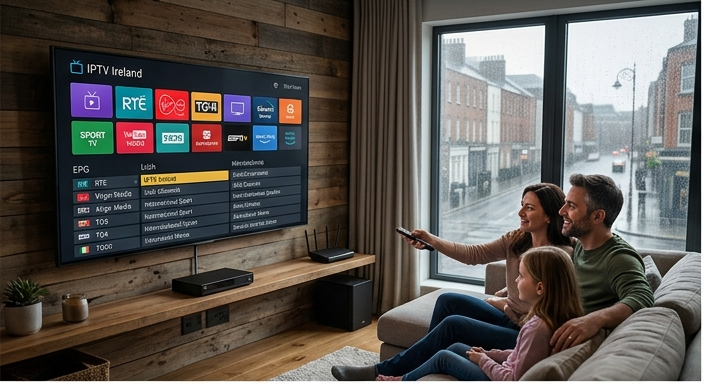
What IPTV actually is
IPTV stands for Internet Protocol Television — television delivered over a standard broadband connection instead of a satellite dish or a terrestrial aerial. Instead of tuning into a broadcast frequency, your device requests a stream from a server, the same way it requests a web page.
That’s the whole trick: if your broadband can stream video reliably, it can carry a full channel line-up, a video-on-demand library, and a programme guide, all through one small app or box. No dish alignment, no satellite subscription hardware, and — critically for Ireland’s older housing stock — no drilling through stone walls to route a coax cable.
The quality of an IPTV subscription is decided less by the channel count and more by the network path between the server and your living room.
How the connection works, end to end
A typical IPTV setup has four links in the chain, and each one is a place where quality can be won or lost:
- Your provider’s servers — where the channel streams and VOD library actually live.
- Your broadband line — the pipe between the server and your home, usually the biggest variable.
- Your router — handling the traffic once it arrives at the house.
- Your playback device — the app or box decoding and displaying the stream.
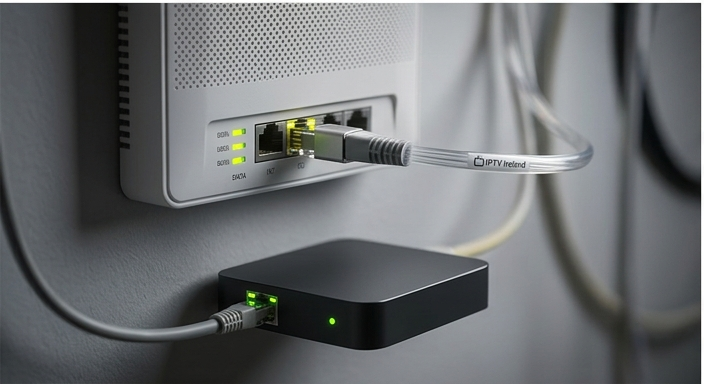
The single highest-impact change most households can make is going wired. Wi-Fi is fine for a phone or a laptop that tolerates the odd dropped packet, but a 4K stream is much less forgiving — a short dip in signal shows up immediately as a frozen frame or a pixelated block. An ethernet cable from your router to your TV box or smart TV, even a cheap one, removes most of the buffering complaints we see reported.
Why local Dublin servers matter
Distance and network hops matter more for streaming than most people expect. A stream routed through a data centre a few hundred kilometres away, across several ISP handoffs, will always be more fragile during peak hours (typically 7–10pm, when everyone in the country is watching something) than one served from infrastructure close to home.

This is why we’re often asked about server location during sign-up. Fewer hops between the source and Eir, Virgin Media, Vodafone or Sky broadband in Ireland means lower latency and a shorter buffer window when you change channel — the difference between an instant switch and a three-second spinner.
Setting up your router the right way
Most buffering complaints trace back to one of three router-level issues, all fixable in a few minutes:
- QoS (Quality of Service) settings — some routers throttle sustained video traffic by default. Prioritising your streaming device’s IP or MAC address prevents this.
- Wi-Fi band congestion — if you can’t run a cable, put your streaming device on the 5GHz band, not the crowded 2.4GHz one shared with every other device in the house.
- Old firmware — routers supplied years ago by Irish ISPs often haven’t been updated. A firmware update can meaningfully improve sustained-throughput stability.
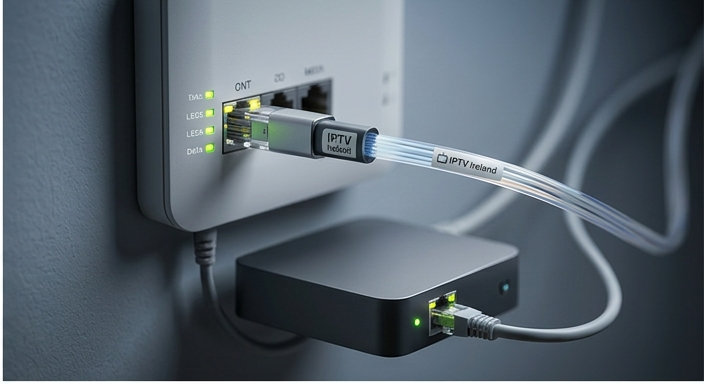
If you’re setting up for the first time, our step-by-step activation walkthrough covers the exact settings for Eir, Virgin Media, and Vodafone routers, and our support team can talk you through it live if anything doesn’t match what you’re seeing on screen.
Best devices for family viewing
The right device depends on how the household actually watches TV, not how technical any one person in it is.
Smart TV apps
The simplest option for most families — no extra box, no extra remote, everyone already knows how to use the TV. Works well if your TV is from the last 4–5 years and its app store is still receiving updates.
Dedicated Android boxes
Best if your TV is older or you want a single, consistent interface across every TV in the house regardless of brand. A modest, current-generation box will comfortably handle 4K without the stutter that budget models struggle with.
Xtream Codes-compatible apps
Preferred by more technical households who want programme-guide customisation, multi-profile support, and catch-up options laid out their own way.
Whichever route you take, our full channel list and VOD library work identically across all three — the app is just the window, not the content.
Frequently asked questions
How many devices can stream at once?
This depends on your plan. Check the pricing page for concurrent-connection limits on each tier — most households are comfortably covered by our standard multi-screen plan.
Do I need a VPN to use IPTV in Ireland?
No. A stable, reasonably fast broadband connection is all that’s required — a VPN adds an extra hop and can slow things down rather than help.
What internet speed do I actually need for 4K?
A stable connection of at least 25 Mbps is recommended for smooth 4K on a single screen, more if several devices in the house are streaming simultaneously.
What if I get stuck during setup?
Our support team handles activation for every plan, including talking through router settings live over WhatsApp.
]]>